Physical Setup & QR Codes
QR stickers, wooden stands, signage: how guests see and scan your code.
Physical Setup & QR Codes: questions and answers
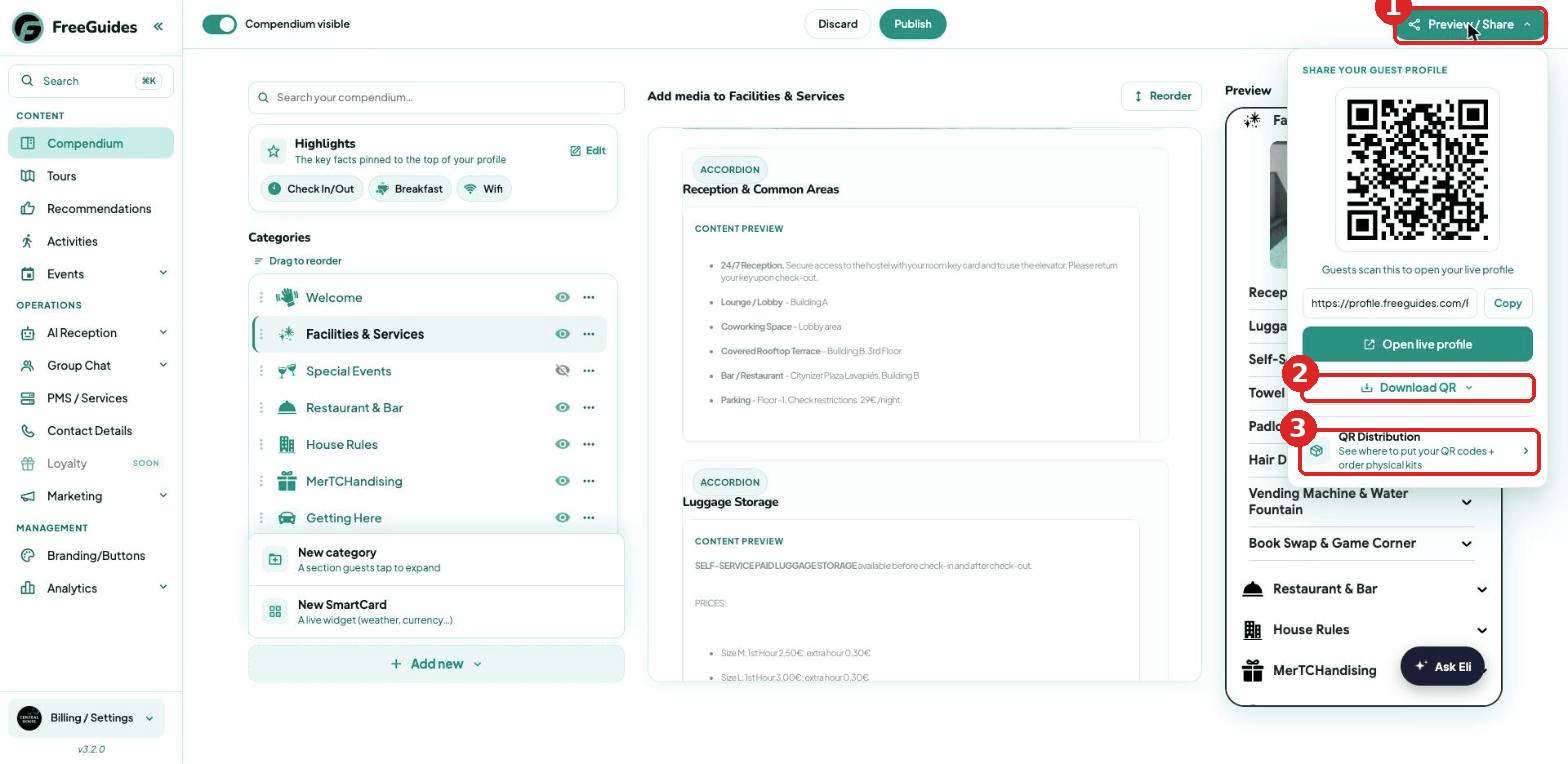
Click (1) Preview / Share (top-right of any dashboard page): scan or copy your live profile link, (2) Download QR in multiple formats, or jump to (3) QR Distribution for posters and printed goods.
Best locations in order of scan rate:
(1) Toilet stalls — place a sticker on the wall directly opposite the toilet. Guests have time and are looking straight at it.
(2) Next to every bed at eye level.
(3) Kitchen tables and social spaces.
(4) Upstairs terrace or rooftop.
(5) Elevator.
(6) Reception desk — one QR only, remove all other clutter including old maps.
Remove all clutter from the desk — old maps, miscellaneous info sheets, and old QR codes. There should only be one pink FreeGuides QR sticker and the Wi-Fi details (guests need Wi-Fi to connect initially, even though Wi-Fi is also listed on the profile).
Print the staff checklist from this Canva link and place it next to the reception computer or somewhere visible to remind the team to drive 100% usage: https://www.canva.com/design/DAHDoSb-2c4/ExfF4d1a6In64IsIC3JFVw/edit
Toilet stalls have the highest scan rate of any placement. Place a sticker on the wall opposite the toilet in each stall — guests are sitting, have nothing else to do, and are looking directly at the wall.
Yes, it is high-traffic and guests are stationary with their phones in hand. Place a sticker at eye level inside the elevator.
Download the horizontal TV template from the Canva templates below and upload it to your TV or digital signage system. A vertical screen version is also available for portrait displays.
Yes. We supply pink FreeGuides stickers — one for each bed as a minimum. Email support@freeguides.com if you need more or have a specific placement in mind.
Sustainable tabletop displays for reception, kitchen tables, and room surfaces. Email support@freeguides.com if you would like us to source them for your property.
Yes. See the Canva Templates section below for A4 posters, key card inserts, reception displays, TV graphics, email banners, and the reception staff printout.
QR Distribution (Marketing → QR Distribution) is the one place to get your profile’s QR in front of guests: download free, branded posters, TV screens and email banners instantly, and order physical QR products — wooden key cards, stands and stickers — that we make and ship.
Everything is generated automatically from your property’s branding, so your poster, lobby-screen graphic and key card all match. Digital assets are free, unlimited and download instantly — posters (A3/A4/A5), in-room TV screens (horizontal & vertical) and website/email banners. Physical products — wooden key cards, QR stands, printed key-card inserts and stickers — are made and shipped by us: nothing is charged in the app, we confirm and invoice you first, and your first 500 stickers are free. Each property has its own QR and branding, so log in to each property to download its assets. To change how everything looks, update your logo and colours once in Branding/Buttons and the whole range updates automatically — no redesign needed.
Open Marketing → QR Distribution from the left sidebar of your dashboard.
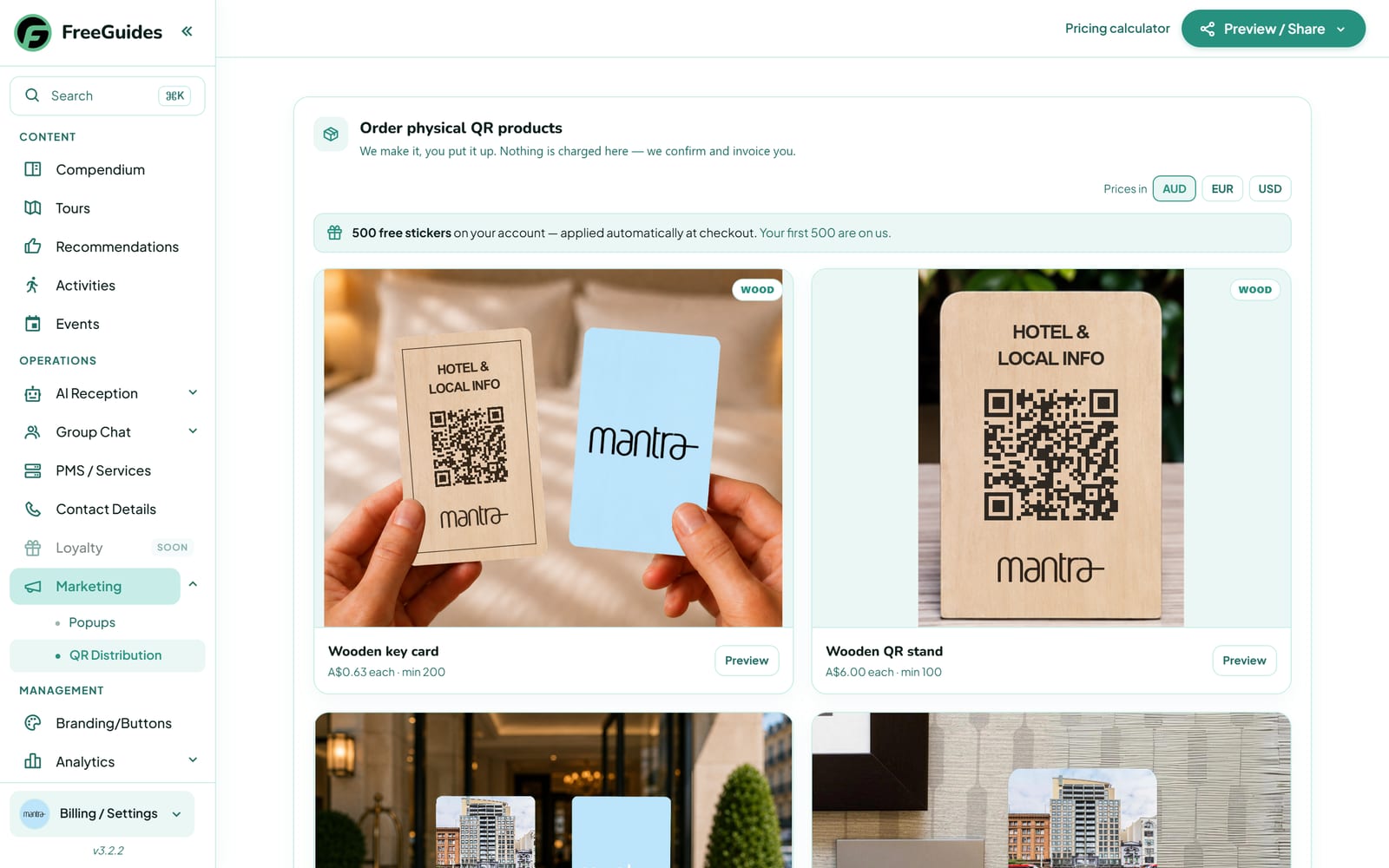
Marketing → QR Distribution — physical QR products plus free digital assets, all built from your branding. Scroll to Your digital assets — free, unlimited downloads made from your branding: in-room TV screens, website & email banners, and posters.
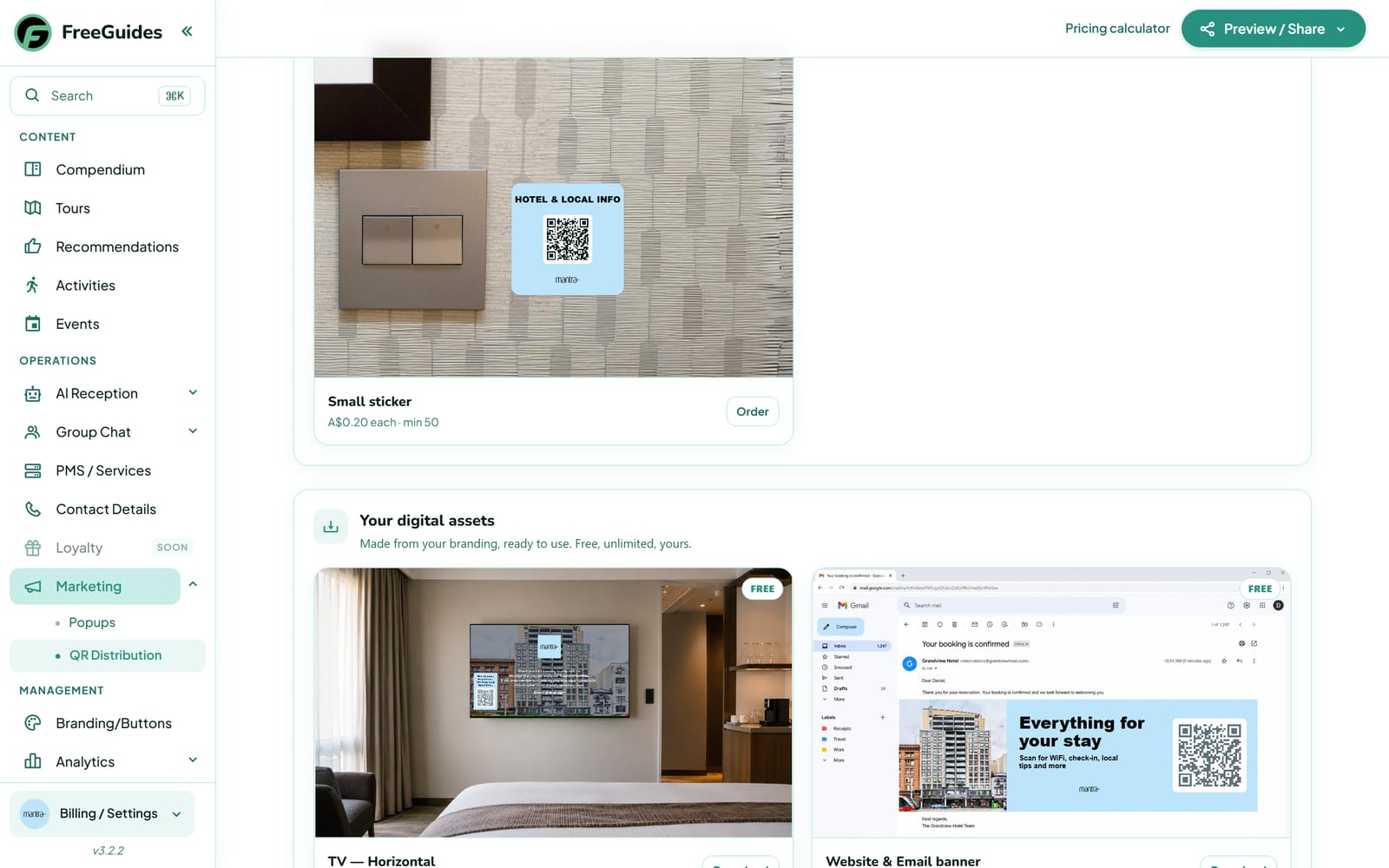
“Your digital assets — free, unlimited, yours.” Under Poster (A3 · A4 · A5) click Download for a print-ready poster with your QR — ideal for a reception display. The Where to put them guide shows the best spots to get scans.
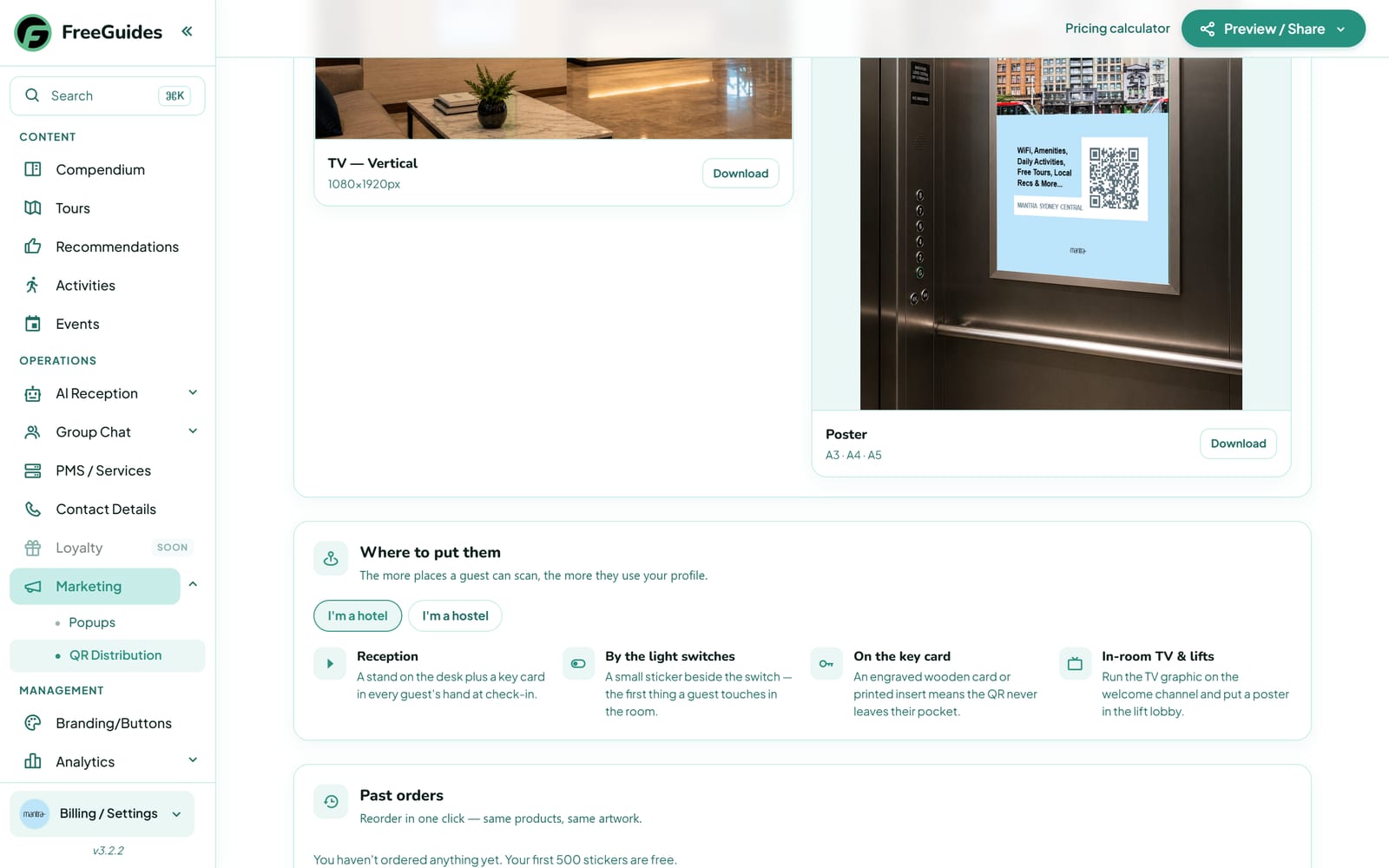
Poster → Download, plus placement tips (reception, key card, light switch, in-room TV & lifts). To edit or customise: every asset is generated from your branding — update your logo or colours in Branding/Buttons (Management → Branding) and every poster, sticker, card and screen updates automatically. To order a physical product, click Preview or Order on any card; nothing is charged until we confirm and invoice you.
Tip: Digital assets (posters, TV screens, email/website banners) are 100% free and unlimited. The only paid items are the physical products — and nothing is charged in the app: we confirm and invoice you first, with your first 500 stickers free.
Replace all current and old QR codes with the new pink FreeGuides stickers. For large round stickers already on walls, contact us and we will send small square QR stickers to place directly over them. Also remove any white NFC tags — these do not link to FreeGuides.
Know this section well? Take the FreeGuides quiz and see where you land on the leaderboard.
Set up in 5 minutes. Live in 48 hours.
Tell us about your property in two minutes and we’ll build your own demo. Live in about 48 hours when you’re ready.
Create your own demo