AI Receptionist (Eli)
Eli answers guest questions 24/7 in the guest's language, then knows when to call a human.
AI Receptionist (Eli): questions and answers
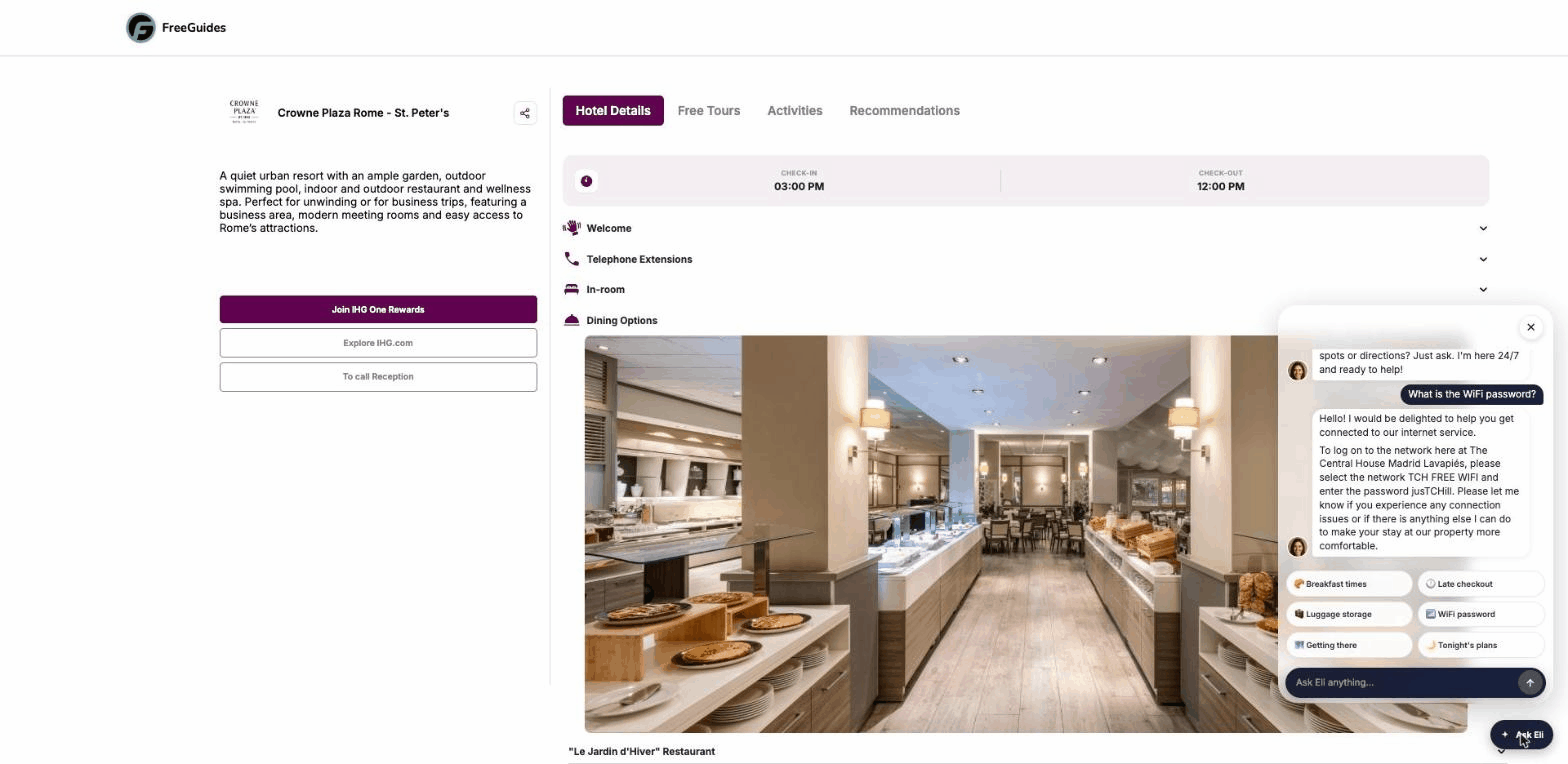
Your 24/7 AI receptionist. Guests tap "Ask Eli" on the profile and get instant answers about WiFi, breakfast, late checkout, directions, luggage storage and more — in their language. She answers from your Compendium plus the private knowledge you give her; she does not free-wheel across the internet for property facts. Using Eli leads to a ~70% reduction in reception visits.
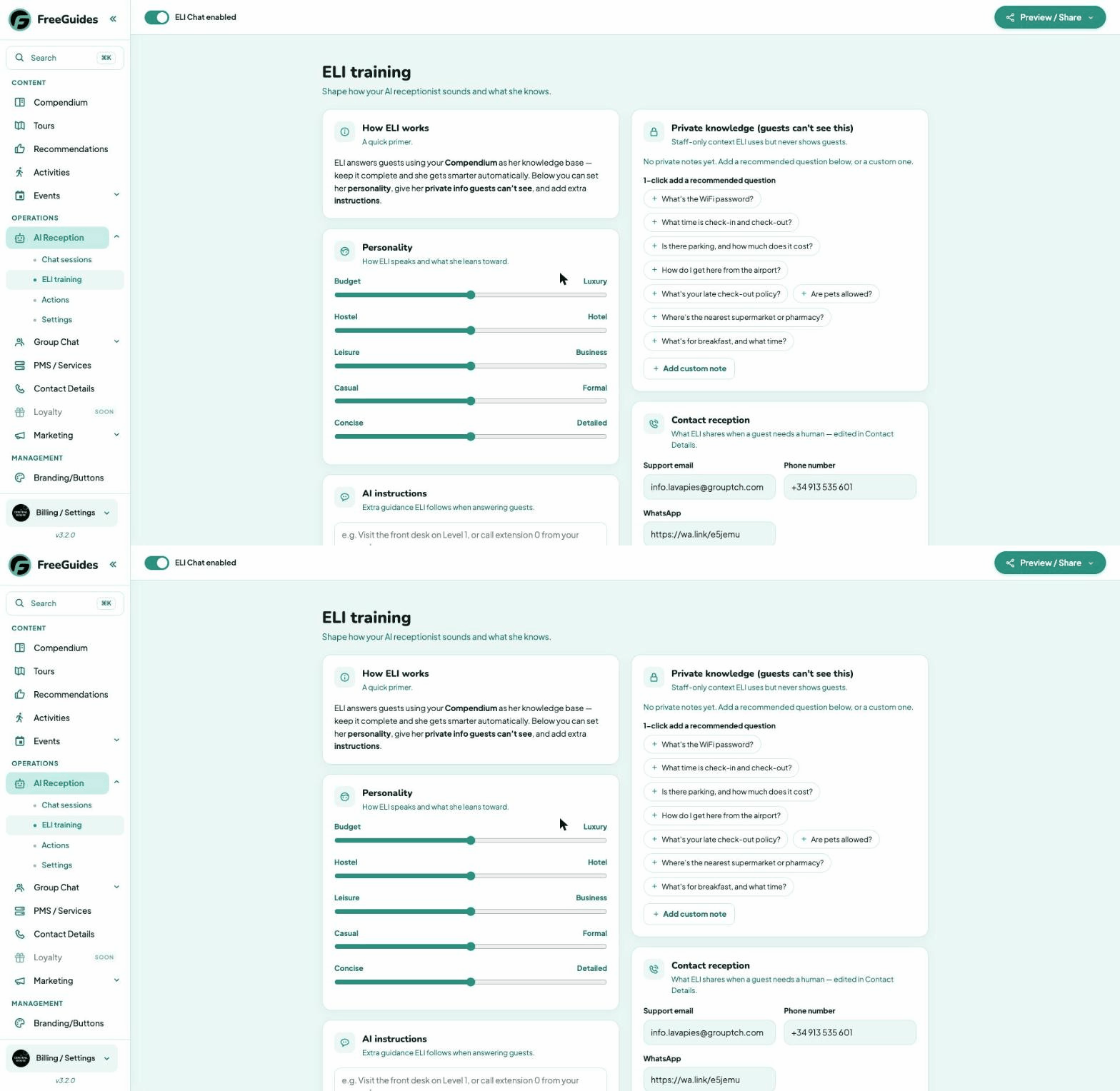
Three layers, all on the ELI training page (Operations → AI Reception → ELI training):
(1) Personality sliders — Budget↔Luxury, Hostel↔Hotel, Leisure↔Business, Casual↔Formal, Concise↔Detailed — shape how she sounds.
(2) Private knowledge — staff-only context she uses but never shows guests (door-code policy, "if the dryer jams do X"); one-click recommended questions (WiFi, parking, late checkout...) make this fast.
(3) AI instructions — standing guidance ("Call reception at ext. 239"). The reception contacts she shares are read-only here — they come from Contact Details, the single source of truth.
She has limited access to the internet purposefully to ensure she only answers honestly based on your data.
Yes, she reads your "Recommendations" and "Tours" too.
Eli uses her general AI knowledge but tries to stay focused on your property.
Create a hidden category (crossed-eye icon) called "Troubleshooting." Put info there you don't want guests to see publicly (like how to fix the AC).
Use Accordions for all guest questions. Use the title as the question and the dropdown as the info. This gives Eli a perfect understanding of the issue.
She is trained to direct medical or safety issues to human reception immediately.
Twice. If she fails, she hands off to reception.
Yes — Operations → AI Reception → Chat sessions shows every conversation, each marked Resolved or Unresolved so you can read exactly what happened.
Yes, she responds in whatever language the guest uses.
Custom Instructions let you shape Eli's personality and response style — for example "be warm and informal" or "always mention our happy hour". You set them in the Custom Instructions field on AI Reception (in the Fallback Contact Information section), and they apply to every guest chat.
Set Eli's response style and rules in the Custom Instructions field on AI Reception.
On the AI Reception page, open the Fallback Contact Information section (click "Load Hotel Data" first if it isn't showing) and fill in the Custom Instructions field. Tell Eli how you want her to respond — her tone and personality, any house rules, and what to prioritise or avoid. Whatever you write there applies to every guest conversation. Save and it takes effect right away.
On AI Reception, open Fallback Contact Information (click Load Hotel Data if it's hidden), fill in the Custom Instructions field, and save.
Yes, you can enable a ticketing system for maintenance issues. Email support@freeguides.com for help.
Yes, if it is in your Highlights or Compendium.
Yes, you can set "Actions" for Eli to suggest (e.g., "Would you like to book a late checkout?").
Fix the source — correct the Compendium entry or add a private-knowledge note; her answer updates immediately. Use Chat sessions to spot these.
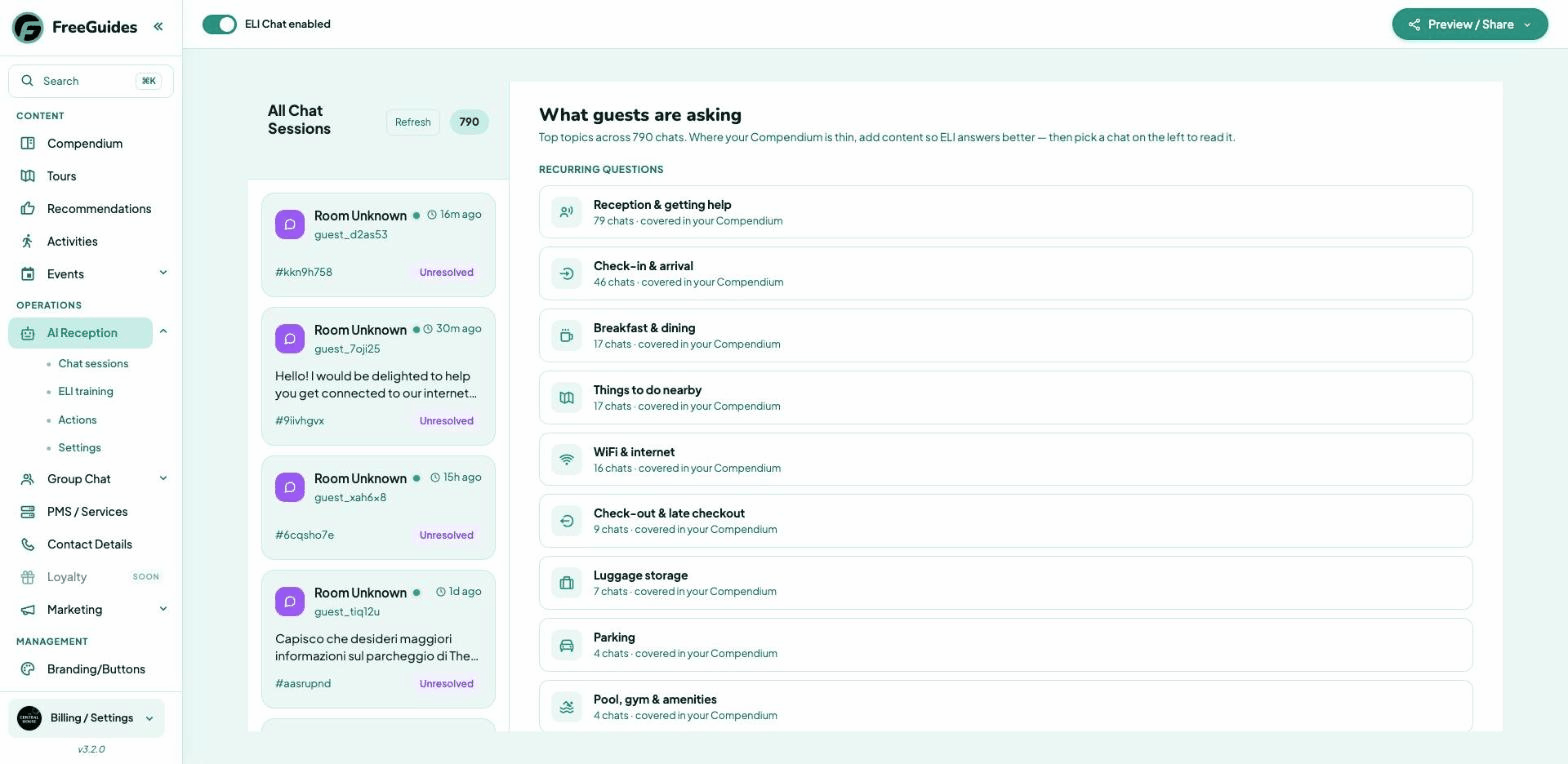
The Chat sessions page shows every conversation plus a topic dashboard — "What guests are asking" — clustering chats into themes with counts (e.g. Central House: 790 chats; reception help 79, check-in 46...). Each theme is tagged "covered in your Compendium" or flagged "not clearly in your Compendium" with an Add to Compendium button — the fastest way to find and fix content gaps.
Use the "ELI Chat enabled" toggle at the top of any AI Reception page. She replies in the guest's language automatically, escalates emergencies by sharing your reception contacts (from Contact Details), and can raise support tickets via AI Reception → Actions/Settings.
Create a hidden category in your Compendium (e.g., "Eli Training" or "Staff Secrets"). Add accordions with common guest questions and your preferred answers. Hide the category so guests can't see it, but Eli will still read and use that information when answering questions. This is perfect for prioritising your in-house restaurant or nearby partner venues.
Create a hidden Compendium category with questions like "What are the best restaurants near the hotel?" and list your preferred places (e.g., your in-house restaurant, Ristorante Arturo next door) in the answer. Eli uses the Compendium as her primary source of truth, so she'll prioritise your written recommendations over general map results.
Yes! Create a hidden category called "How to Respond" and write instructions like "Respond in a friendly, professional tone" or "Always mention our breakfast special when relevant." Eli will follow these guidelines.
Know this section well? Take the FreeGuides quiz and see where you land on the leaderboard.
Set up in 5 minutes. Live in 48 hours.
Tell us about your property in two minutes and we’ll build your own demo. Live in about 48 hours when you’re ready.
Create your own demo