How to Set Up a Hotel QR Code System Guests Actually Use
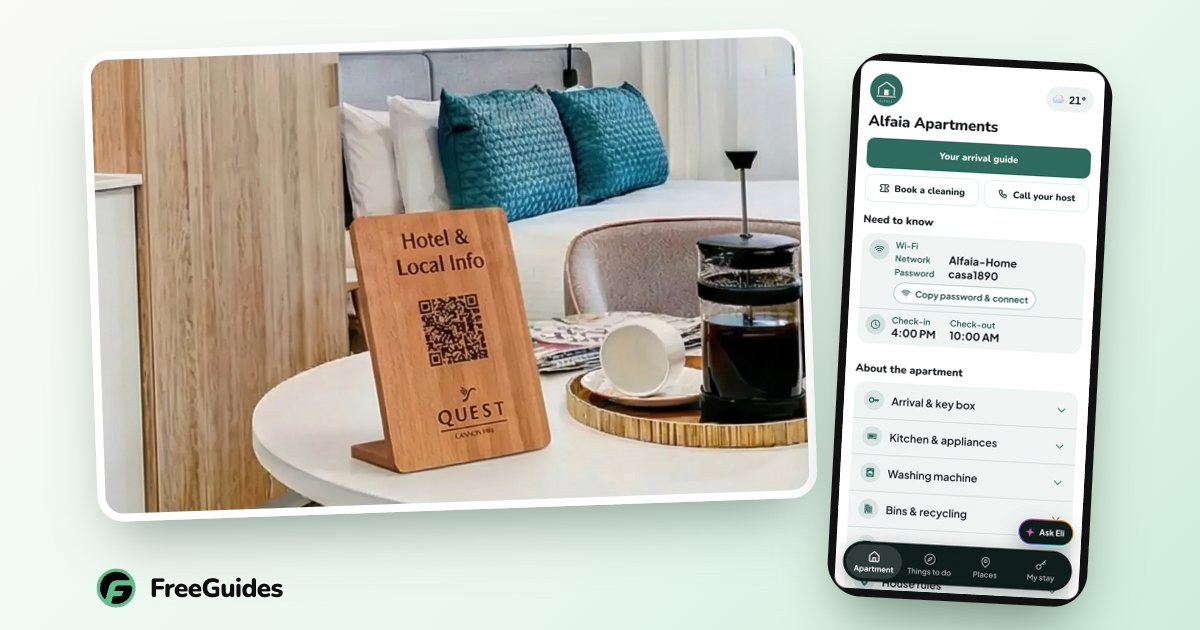
A hotel QR code system gives guests instant access to everything about their stay — from one scan, no app, no login. The trick isn’t the QR code itself. It’s what sits behind it, and where you put it.
Plenty of hotels stuck a QR code on a table during 2020 and watched no one scan it. Here’s how to build one guests actually use.
Why QR codes work for hotels now
Every guest knows how to scan a code — they do it at restaurants, car parks and airports. The phone camera does it natively. The behaviour is no longer the barrier it once was. What matters now is whether scanning is worth their while.
What to put behind the code
A QR code that opens a PDF menu is a wasted opportunity. Behind a good code sits your full digital compendium: check-in details, Wi-Fi, dining, local recommendations, an AI receptionist for questions, and bookable experiences. One scan, everything they need.
The rule: the code should open the answer to “what now?”, not a single document.
Where to place your codes
- In the room — bedside table, desk, or back of the door. This is where the “how does X work?” questions happen.
- At reception — for check-in details and the first scan as guests arrive.
- In common areas — lobby, lift, breakfast room, courtyard. Catch guests when they’re deciding what to do next.
FreeGuides posts you QR stickers and wooden stands, so the codes look like part of the room, not an afterthought taped to a wall.
Designing codes guests trust and scan
Three things lift scan rates: a short line telling guests what they’ll get (“Scan for Wi-Fi, tips & check-out”), placement at eye level where they’re already looking, and a tidy physical format. A curling sticker says “ignore me”. A clean wooden stand says “this is for you”.
Measuring what guests use
This is where a real system beats a static code. You can see how many guests scan, what they open, and which recommendations get the most taps. That tells you what to put front and centre — and which local spots your guests love. More in the analytics FAQ.
Getting started
You don’t need a developer. Tell FreeGuides about your property, we build the experience behind your code, and stickers and stands arrive in the post within about 48 hours. Got questions first? Get in touch.